Your Digital Logbook
Track and log your professional and private trips. Export reports as CSV or PDF, sync across devices, and manage fuel costs — all in one app.
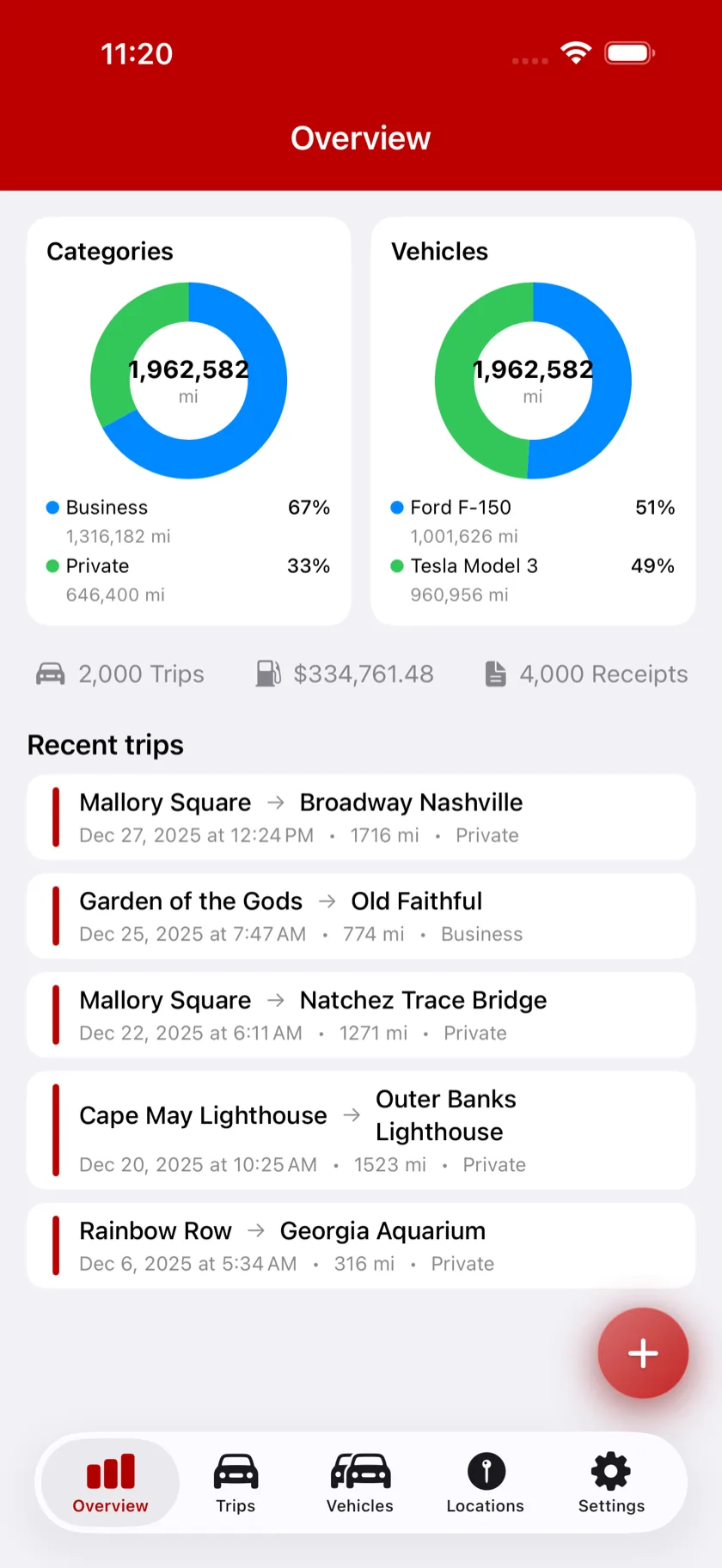
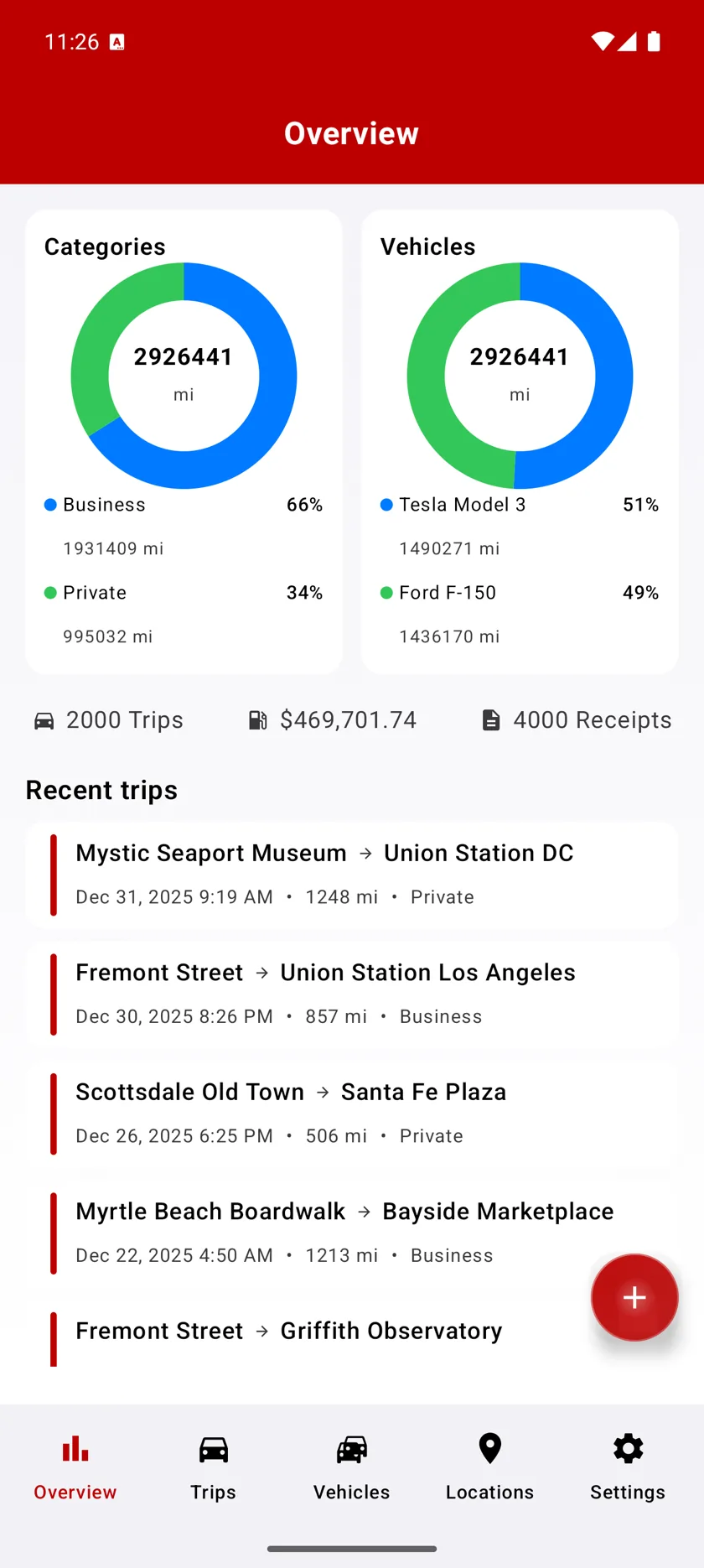
Everything You Need
Powerful features to manage your trips efficiently and meet tax requirements.
Multi-Vehicle Support
Manage multiple vehicles with custom categories, up to 10 waypoints per trip, and vehicle photos.
Expense Tracking
Record fuel costs and other expenses for each trip. Keep a complete financial overview.
CSV & PDF Export
Export your logbook as CSV for Excel or as a printable PDF — perfect for tax documentation.
Cloud Backup
Back up and restore your data via iCloud Drive, Dropbox, or Google Drive. Your data is always safe.
Tax-Ready Records
Trips lock after 7 days for tamper-proof records and reliable tax documentation.
Receipt Scanner
Photograph and store receipts directly in the app. Keep all your expense documentation in one place.
DriveLogger Intelligence
DriveLogger Intelligence is part of Pro on iOS and Android. Check trips and receipts, and ask questions about your logbook on supported AI devices. Now also available in DriveLogger 1.1 for Android.
Logbook checks
Find missing start or destination locations, gaps or reversals in odometer readings, and incomplete business/private classifications or business details. Get reminders as the seven-day trip-lock deadline approaches.
Checks run locally using fixed rules, without a language model. Errors, warnings and suggestions link directly to the affected trips. No data is changed automatically.
Receipt checks
Spot unassigned receipts, possible duplicates with the same date, amount and description, and receipt dates outside the trip period, allowing one day before and after.
Fuel receipts are checked for positive amounts and quantities. There are no fixed price-per-liter limits, so different currencies do not trigger false warnings.
Ask DriveLogger
Ask questions in everyday language, such as “Which vehicle was driven the most?” or “How much did I spend on fuel this year?” Answers use locally verified calculations and link to the relevant records.
Queries only read your data; calculations run in DriveLogger. Your records are not changed. AI-generated answers can contain mistakes — use the linked records to check the results.
Availability & privacy
All DriveLogger Intelligence features require Pro. Logbook and receipt checks run locally without an AI model — even when Ask DriveLogger is unavailable on your device.
iOS · Apple Intelligence
Ask DriveLogger requires iOS 27 or later on a compatible device with Apple Intelligence enabled and available.
On-device processing is available. On iOS, Private Cloud Compute can also be used when available, with your explicit consent for each request.
Android · Gemini Nano
Ask DriveLogger requires a supported device with Gemini Nano available through Android's AICore. The app checks compatibility; a model download may be needed. A recent Android version alone is not enough.
In the Play Store app, questions and results are processed on your device, without a cloud AI service. Ask is limited to queries and calculations based on stored logbook data, not general knowledge or web searches.

Upgrade Available
DriveLogger Pro
Unlocks search/filter, receipt scan, PDF/CSV export, backups, and DriveLogger Intelligence on iOS and Android. Ask DriveLogger additionally requires a supported AI device.
Available as an In-App Purchase.
Get ProSee It In Action
Explore DriveLogger's intuitive interface on iOS and Android.
Scroll through each chapter. The phone preview updates automatically.
Get DriveLogger Today
Available on iOS and Android. Start logging your trips professionally.